


Research documentation - PURE
FAQ
Important Information beforehand:
Distinction between Researchers and PURE Editors
In the research information system PURE, a distinction is made between Researchers and PURE Editors, as both have different roles and permissions. Depending on the role, menu options and/or editing steps differ. Therefore, some manuals specify whether the steps are intended for Researchers or PURE Editors. The term users includes both Researchers and PURE Editors.
PURE Editors are responsible for organizational management and have extended editing rights (so-called editor rights) within their respective organizational unit(s), for example, for entering publications or validating projects.
Researchers, on the other hand, have the role of “individual user” and in some cases have additional reporting rights, but generally only have limited rights to manage their own data.
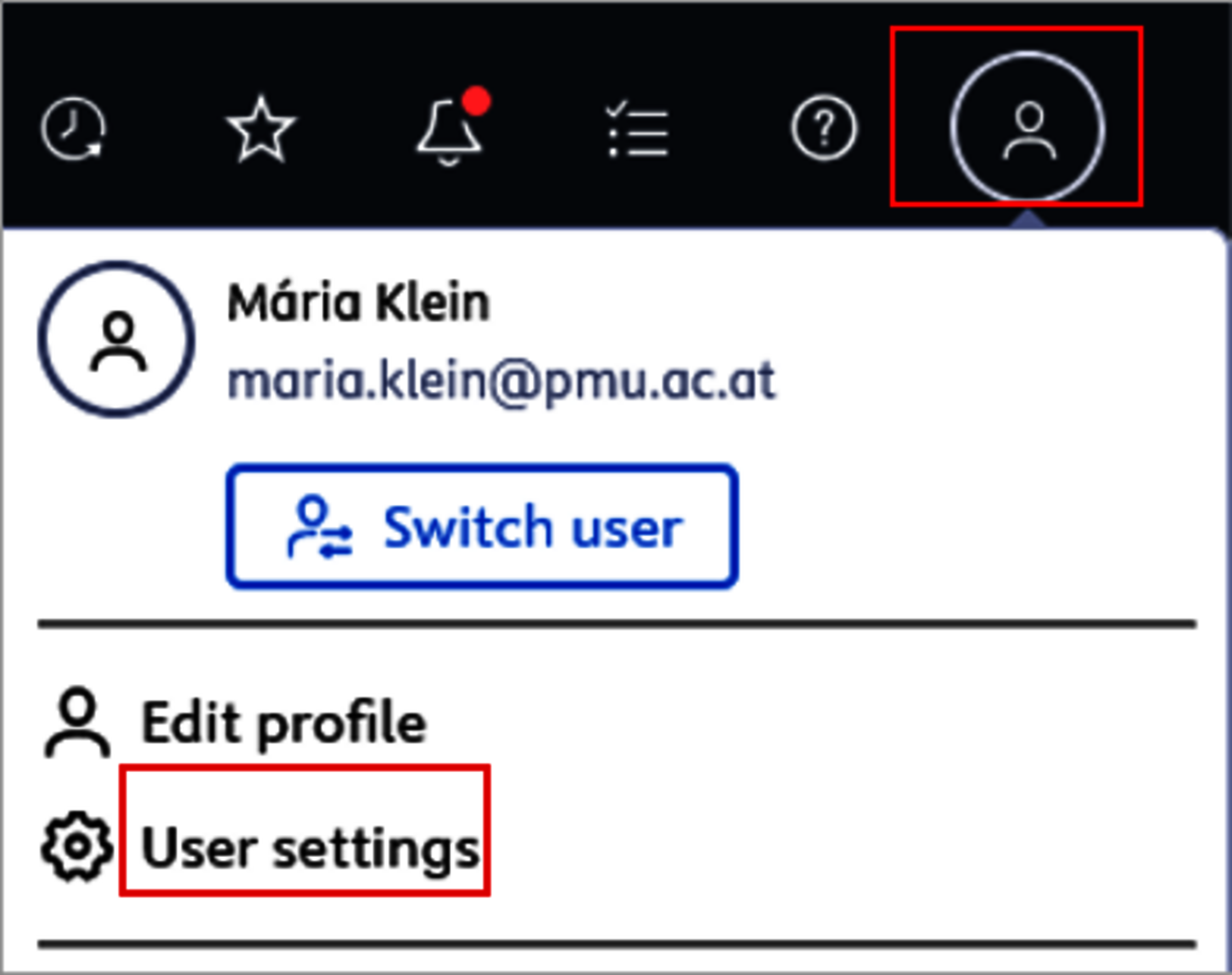
You can see your current role(s) by clicking on the profile menu in the upper right corner → User Settings → Role(s).
PURE Editors have different organizational rights, while Researchers have individual user rights.
If your question is not answered here, please contact PURE Support at pure@pmu.ac.at
Wiki Link: Question 1: How do I a... | PMU-WIKI
Wiki Link: Question 2: How can I ... | PMU-WIKI
Wiki Link: Question 3: I have ent... | PMU-WIKI
Wiki Link: Question 4: My persona... | PMU-WIKI
Wiki Link: Question 5: I have PUR... | PMU-WIKI
Wiki Link: Question 6: How can I ... | PMU-WIKI
Wiki Link: Question 7: How can I ... | PMU-WIKI
As of 1 January 2026, the recording of funding applications, approvals (grant awards), and projects will be adjusted due to technical changes.
The previous shortcuts (e.g., “Create an approval based on this approved application”) will no longer be available from 2026 onwards. In practice, this means that for an approved funding application, the corresponding approval (grant award) as well as the project must be entered completely manually.
All relevant fields must be completed manually; the data will no longer be transferred automatically from the application.
IMPORTANT: For competitive projects, please manually link your funding application to the corresponding award/approval and the project. For non-competitive projects, please manually link the award/approval to the corresponding project. These links are not created automatically.
You can find the detailed steps, including screenshots, in the Manual for Researchers starting on page 41.